Skip to content
  • Home | [Temporarily redirected to the member dashboard]
  • 01 | Office Mastery | Home Page
  • Privacy Policy
  • Terms and Conditions of Service
  • Connect
  • 01 | Free Microsoft 365 Training Resources (Blog Post Index)
  • 02 | Beginners Resources
  • Guest Post Guidelines & Application Process
  • 04 | Word Resources
  • 03 | Excel Resources
  • Word Multilevel Numbering Troubleshooting Guide (Signup Form)
  • Ready Made Multilevel List Word Templates (Sales Page)
  • Confirmation
  • MLN Templates Temporary Message
  • Cancel my Monthly Subscription
  • Your cancellation request has been received
  • Parked] Course Resources
  • How to Update Your Billing/Payment Details
  • LM | Build Tribe
    • Computer Skills Checklist
    • Beginners Guide to Computers
    • Beginners Guide to Excel
    • Beginners Guide to Word
    • Excel | Perfect Formula Cheat Sheet (and 21 Formula Fails)
    • Excel | Pivot Table Checklist
    • Excel | VLOOKUP Cheat Sheet
    • Word Editing Hacks Cheat Sheet
    • Word Table of Contents Cheat Sheet
  • [Old] PowerPoint Mastery | Office Legends Academy
  • Just Testing
  • Quick tips for improved email deliverability
  • Member Login
  • Test Product Page
  • Update profile
Be the Legend in your officeBe the Legend in your officeBe the Legend in your office

Unlock the Full Potential of Microsoft Word with These Powerful Resources

Word Guides (Free to Download)

Multilevel Lists
Troubleshooting Guide
Table of Contents
Step-by-Step Guide
Word Editing Hacks That Slash Hours From Your Daily Tasks

From the Free Learning Resources

Multilevel numbering in Word: Perfect the first time

Multilevel numbering in Word that works perfectly, first time

How to create an index in Microsoft Word using the Concordance method

How a Concordance File can build your Word Index twice as fast

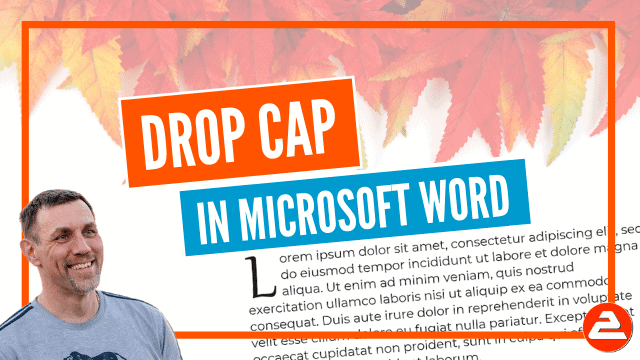
How to add a drop cap in Microsoft Word

How a Drop Cap captures immediate attention in a Word doc

How to create a master document from multiple subdocuments in Microsoft Word

How master- and sub-documents compile multiple sources fast

Protect your Word document

Encrypt or password-protect your document to safeguard your IP

How to add watermarks to documents in Microsoft Word

Professional watermarks to brand your documents and prevent direct copying

MORE FREE GUIDES . . .

Copyright © 2005-2026 Office Legends Academy
PrivacyTermsConnect

  • Home
  • Phone