



You were nearly done! One small change. That’s all it took.
One edit and your document unravelled.
Numbering went rogue. Text jumped out of position. Page structure broke.
And then it began.
That sinking feeling. That cold dread. The urge to scream and pull your hair out.
Why is Word SO HARD?
Meanwhile…
… experts everywhere have figured out how to navigate the confusion. The quirks, the traps and the bugs that suck hours from your day. Those hard to find settings that make all the difference.
You won’t find this in a YouTube tutorial (well, maybe if you watch 50, but be prepared to go down a lot of rabbit holes and irrelevant things you didn’t need to know!).
The best people in your office often can’t help either.
Here’s the thing…
To get good at Word, you don’t have to master EVERY feature and option. Nor explore every nook and cranny. In fact all you need is a simple road map and an expert guide who respects your time and takes you directly from A to B.
I’m Jason (that’s me on the right). I’ve been in and out of client’s Word documents for 3 decades, troubleshooting, restructuring and straightening things out. There’s not much I haven’t seen.
I’ve distilled all that knowledge into my Word Mastery training so you get my expertise – fast and direct. No 30 minute history of Microsoft. Just my best Word tips and advice.


Here’s something to think about:
In Europe, there’s a fast train called the Eurostar which takes you directly from London to Paris (342km) in a smidge over 2 hours? Now imagine if that same train stopped at every little tin-pot station along the way and took 2 days! If you’re not a grey nomad and time matters to you, which option sounds more appealing?
Rather than waste any more time trying to figure this out, I invite you to hop on the express train.
Word Mastery Course
My no-fluff Word Mastery course strips everything down to the things that matter.
It’s the fastest way to finally understand why you’ve been stuffing up and what you can do to turn it around.
The core skills. The must-haves. The hidden settings.
The secrets that build a strong foundation.
If you follow my teaching, BY THIS TIME NEXT WEEK (or even today) your Word issues will be a thing of the past. You’ll have peace of mind, fresh clarity and renewed confidence. You’ll know where you were going wrong and your documents will now hold up against anything you throw at them.
See the skills you’ll acquire in the Word Mastery course
Click a module for details
MODULE 1: UNLOCK THE SECRETS TO CREATING AMAZING CONTENT
- With some simple yet powerful tools, you’ll create and format documents that look attractive and professional.
- Selecting, navigating and editing text (using the keyboard and mouse)
- Creating visual separators for extra pizazz
- Making your text look great
- Superscript and Subscript
- Resetting (removing) existing formatting
- Advanced text formatting
- Take precise control of your content positioning using alignment, line spacing, paragraph spacing, indentation and hanging options
- Page size – orientation – margin size
- Custom bullets and numbering
- Positioning images and text together
- Adding tables into the mix
MODULE 2: TOOLS TO MAKE LIFE EASIER
- Check accuracy with spelling and grammar checks
- Add variety with Synonyms and Thesaurus
- 4 methods to Cut Copy & Paste
- Cut Copy Paste – between docs
- Windows Clipboard vs Office Clipboard (don’t miss this)
- Find and Replace for words, phrases, formatting and special characters
- Autocorrect – the ultimate timesaver
MODULE 3: PROFESSIONAL TOOLS FOR HANDLING LARGE DOCUMENTS
- Discover why styles are central. Aside from bringing consistency and making documents easy to maintain, styles combine with other features such as navigation, table of contents and figures and multilevel numbering.
- Discover how and when to use styles, how to manage them and use them in other documents.
- Themes
- Page Breaks
- Section Break (Next Page) to mix portrait and landscape pages
- Section Break (Odd or Even Page) to separate and customise chapters
- Continuous Section Breaks, Column Breaks and Columns
- Headers and Footers: What kind of content works well?
- How to control the flow of Headers and Footers between sections
- Using Outline View to navigate and restructure your document
- Footnotes and Endnotes
- Table of Contents
- Build an index page using Mark & Index
- How the pros use a concordance to build an index quicker
- How to format and organise your index
- Bookmarks and Cross References
- Links (formerly Hyperlinks)
- The power of Fields
- Quick Parts to reuse common content
- How to construct a master doc from a number of smaller docs
MODULE 4: USE THESE ADVANCED FEATURES FOR A FINAL BOOST
- Backstage File Tools
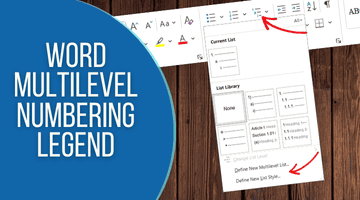
- Multilevel numbering
- Single Level Captions and Table of Figures
- Multilevel Captions and Table of Figures
- Mail Merge
- Templates
- Tracking document changes, comments and finalising a document
- Creating macros for automation
- Form Tools
If you want to acquire more than just
Word skills then grab the keys to
My Entire Microsoft Training Vault
Here’s what is included:
The Beginner Series




The Mastery Series





WHETHER YOU BUY ONE COURSE OR THE VAULT
Here’s the incredible value you get for less than your coffee budget
- My absolute best, proven advice, simplified
- The things that matter
- The things that work
- The things you’ll actually use
- ‘Useful’ shortcuts
- No boring intros or long essays on the history of Microsoft
- No fluff. Straight in. Zero to a hundred
- Pitfalls, rabbit holes and dead ends to avoid
- Genius strategies and ideas from 20+ years in the trenches
- Snappy, bite-sized videos for reference or self-serve learning
- Downloadable PDF reference guides

What Others Are Saying
It’s incredible. I never knew all this was possible. The course has really opened my eyes and given me a fresh perspective. The videos are clear they have helped me tremendously.
I work on complex legal documents and as a temp, you’re sometimes left to find information on your own. I’ve learned far more from you than anything I’ve found in books or online. The lessons are SO clear. I think my manager will be very surprised to see the improvement in my skills.
Awesome. Thanks for some great training. The content was explained simply and effectively. Great visual and hands-on approach really helped me to remember everything
I really appreciated the time and tolerance taken for a beginner like myself. Jason is very good at explaining computer terms. The videos were delivered simply and professionally and the training notes are first class.
Word Styles and automatic multilevel numbering are both harder than quantum mechanics. And you have made simple. Thank you!!!
Thanks a million. I have gone on courses, I have paid people to teach me and I still couldn’t get it. Your videos are crystal clear and now I can’t remember why I found it so difficult!
REALLY helpful. I’m a Wordsmith who works on academic documents for postgrad students. The structure and formatting is often messed up beyond belief. This course goes way deeper than anything else I’ve found and is invaluable!
Fantastic tutorials, really easy to follow! I learnt more about styles in the few minutes watching your video than 20 years of reading Word help. Thanks.
I can only copy what everyone else has commented. Awesome!! I’ve been working at this for weeks and the multilevel numbering video in particular answered a ton of questions and demystified what shouldn’t even be this complex. Many thanks.
I can’t believe it. I have been looking everywhere for a course like this. It has been a revelation. Can’t wait to watch the rest. Would have saved me a gazillion hours had I found this earlier!
Super videos, easy to follow and very helpful. Thank you!!!! Love from India
It was really user friendly. I’m a visual learner and I love that I can do this in the comfort of my own home. Doing the courses exercises as I go and having to think and work out things for myself has really helped.
Excellent, really clear and well explained.
Very well put together, informative and easy to follow. It answered all my questions. Thanks so much!
I have seen many tutorials on different topics. This is an EXCELLENT course run by a highly knowledgeable, easy going teacher!! Thank you for the hard work you put into creating the course!
Excellent teaching! Took too long to find this. No waffle, just easy, clear instructions. Thank you!
Great course and well taught. This has opened up a lot of possibilities. A small but powerful program that will improve my design processes.
You made it so simple. After wasting a whole day watching YouTube videos on this and getting more confused it’s such a relief to finally get the answers I needed.
Call me weird but I really enjoyed this course. I found it very easy to follow, user friendly and super practical. I can’t tell you how much easier it is than reading a book! Thank you
Excellent! Thank you for getting straight to the point 🙂 It is so easy to listen to. I found the exact information I was looking for.
Excellent teaching! I regret not finding these awesome videos sooner. I have started to cull a huge backlog of emails thanks to the tips I learned. You are really good at getting to the crux of the matter. Appreciate that very much. Good job and keep it up.
Very helpful thank you! It is amazing how fast I am understanding it. Thank you for your guidance.
The course is very good for beginners and you covered a lot without invoking brain strain!
With the videos, examples and useful study guide, I have already started using some of these new skills each day. I feel much more confident now.
Such useful videos, succinct and stacked with useful tips and info. I am definitely spreading the word among my friends.
AFFORDABLE Training, whatever your budget
Choose Your Preferred Option
Word Mastery
$147
oNE tIME pAYMENT
- Word Mastery video library
- Intermediate to advanced learners
- Self-serve training
- PDF reference guide & examples
- Bonus: Multilevel Templates
- Regular price: $397
Entire Vault
$47/MONTH
Cancel Any Time
- Every course & resource
- $3,000+ value
- Monthly sub, cancel any time
- Self-serve training & reference
- Hundreds of actionable videos
- PDF reference guides
- Examples & practice files
- 15% discount on 1-on-1 with me
- Regular price: $67/m
Entire Vault
$497LIFETIME
Pay Once Yours Forever
- Lifetime access
- Bonus cheat sheets and checklists
- 25% discount on 1-on-1 with me
- $3,180 if bought separately
All pricing in USD
