



Your spreadsheet is good-to-go except for one missing (but vital) piece!
Three days. That’s how long you’ve spent going around in circles on ONE THING.
It’s a poor use of your time and talents.
You’re self taught. You’ve been figuring stuff out yourself for years. You have no idea if it’s the best way, but it works … most of the time.
Stuck in a frustrating cycle of square pegs and round holes, you’re using things you learnt years ago on every spreadsheet, and encountering the same issues. Like using a hammer for every DIY job.
Long nights on YouTube, Google and AI has yielded little progress.
You start to get that sinking feeling. That cold dread as the deadline approache.
You want to scream and pull your hair out. Why is Excel SO HARD?
Meanwhile…
… experts everywhere have figured out
- how to navigate the confusion, workaround the quirks and avoid the traps and bugs
- use proven shortcuts to get to their desired outcome fast
- the best approach, tools and techniques to use for every occasion.
- the important, hard to find settings.
Here’s the thing…
YouTube tutorials often show you how to get from A to B via X, Y and Z (history and noise that don’t help you!). 20 minutes of your life that you can’t get back, when 2 minutes would have done it.
To get good at Excel, you don’t have to master EVERY feature and option. Nor explore every nook and cranny. In fact all you need is a simple road map and an expert guide who respects your time and takes you directly from A to B.
I’m Jason (that’s me on the right). I’ve been in and out of client’s Excel spreadsheets for 3 decades, troubleshooting, restructuring and straightening things out. There’s not much I haven’t seen.
I’ve distilled all that knowledge into my Excel Mastery training. It’s fast and direct. No 30 minute history of Microsoft. Just my best Excel tips and advice.


Here’s something to think about:
In Europe, there’s a fast train called the Eurostar which takes you directly from London to Paris (342km) in a smidge over 2 hours? Now imagine if that same train stopped at every little tin-pot station along the way and took 2 days! If you’re not a grey nomad and time matters, which option would you rather take?
I invite you to hop on the express train.
Excel Mastery Course
My no-fluff Excel Mastery course strips everything down to the things that matter.
The core skills. The must-haves. The hidden settings.
The secrets that build a strong foundation.
It’s the fastest way to finally understand why you’ve been stuffing up and what you can do to turn it around.
If you follow my teaching, BY THIS TIME NEXT WEEK your Groundhog Day will be a thing of the past and you’ll know how to harness the power of Excel formulas, automate complex processes and produce professional reports.
You’ll have peace of mind, fresh clarity and renewed confidence. Shiny new skills. You’ll know where you were going wrong and your spreadsheets will become robust.
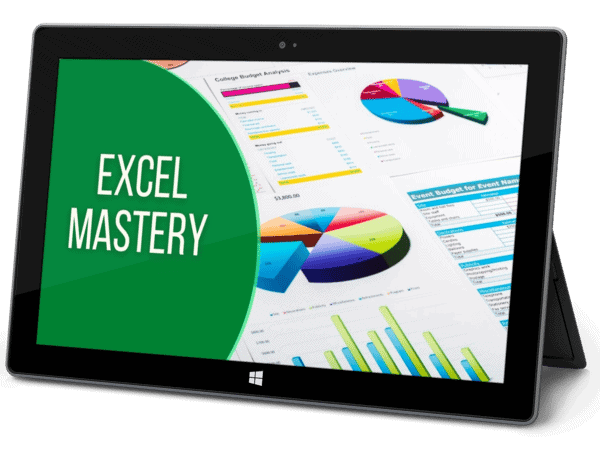
See what you’ll learn in the Excel Mastery course
Click a module for details
MODULE 1: TABLE MAGIC
- Time to discard the old-school way of creating and formatting tables and adopt the modern approach. Prepare to be shocked and surprised.
- Meet some old friends called Sort, Filter & Subtotal and discover some new and flexible ways to use them to your advantage.
- Meet some new friends called Sparklines and Flash Fill.
MODULE 2: BUILD THE ENGINE: FORMULAS & FUNCTIONS
- Excel has over 500 formula functions. This module contains a good collection of the most useful formulas with plenty of demos and examples to practise on. The more formulas you learn the more you’ll accomplish.
- Break the code on formulas and functions to achieve any goal in Excel.
- Create powerful formula combos.
- Construct logic, rounding, lookup, date, time, text, math, database and financial functions to generate, manipulate and analyse data.
- Absolute vs relative cell referencing – why, when and how to use each option and how to go beyond the basics.
- Naming cells – why it is a game changer.
MODULE 3: UNLOCK THE SECRETS TO AMAZING CHARTS
- Learn how to create 17 different types of chart.
- Manipulate and format charts like a pro.
- Explore the most important chart options.
MODULE 4: WHY YOU ABSOLUTELY SHOULD JUDGE A BOOK BY ITS COVER
- Go beyond basic formatting with with styles (for consistency & easy maintenance).
- How to use the same styles across multiple workbooks.
- Conditional Formatting: Unleash the magic and versatility of selectively formatting.
MODULE 5: VALIDATING YOUR DATA TO KEEP THE RIFF RAFF OUT
- Basic validation: numbers, dates and time within a range or that text is a certain length.
- Drop-down lists that offer preset options to reduce input errors
- Vital tips on how to manage lots of lists.
- Validation formulas – go next level and check for almost anything.
MODULE 6: THE PLAYBOOK FOR CREATING PIVOT TABLES & PIVOT CHARTS
- Consolidate, analyse, summarise & simplify your data with pivot tables.
- Tips on how to prepare your data and get the most from the pivot tools.
- 3 ways to filter and 3 ways to group pivot data.
- Drill down, break up and calculating new fields and items.
- Function & format, design & configuration, settings & report layouts.
- The low-down on pivot tables vs pivot charts.
MODULE 7: WHAT IF? ANALYSIS TOOLS
- Unlock this powerful suite of tools to help you prepare for different situations and eliminate the guesswork.
- Goal seek: Set the final answer and ask Excel to get you there.
- Solver: Ask Excel to calculate the best possible combination in order to get to a set answer while working within set constraints
- Data variable table: Get Excel to build out a reference table really quickly
- Scenarios: Store preset snapshots of data and snap back to them any time
MODULE 8: THE INSIDE SCOOP (TRICKS OF THE TRADE)
- The little-known tool that lets you quickly consolidate data from various sources.
Uncover the secrets behind Paste Special. - Protect your work from accidental or deliberate changes (at cell, worksheet and workbook level).
- Create templates for you or others to use many times over.
- Save your preferred worksheet layout as a custom view.
- Collaborate as a team or give yourself reminders using comments.
- Link internally within your workbook or externally to other files, websites or a pre-addressed email
- Design responsive forms using an array of tools such as command buttons, combo boxes, list boxes, check (tick) boxes, option (radio) buttons, option groups and spinners.
- Automate repetitive tasks using macros
If you want to acquire more than just
Excel skills then grab the keys to
My Entire Microsoft Training Vault
Here’s what is included:
The Beginner Series


The Mastery Series




WHETHER YOU BUY ONE COURSE OR THE VAULT
Here’s the incredible value you get for less than your coffee budget
- My absolute best, proven advice, simplified
- The things that matter
- The things that work
- The things you’ll actually use
- ‘Useful’ shortcuts
- No boring intros or long essays on the history of Microsoft
- No fluff. Straight in. Zero to a hundred
- Pitfalls, rabbit holes and dead ends to avoid
- Genius strategies and ideas from 20+ years in the trenches
- Snappy, bite-sized videos for reference or self-serve learning
- Downloadable PDF reference guides

What Others Are Saying
It’s incredible. I never knew all this was possible. The course has really opened my eyes and given me a fresh perspective. The videos are clear they have helped me tremendously.
I work on complex legal documents and as a temp, you’re sometimes left to find information on your own. I’ve learned far more from you than anything I’ve found in books or online. The lessons are SO clear. I think my manager will be very surprised to see the improvement in my skills.
Awesome. Thanks for some great training. The content was explained simply and effectively. Great visual and hands-on approach really helped me to remember everything
I really appreciated the time and tolerance taken for a beginner like myself. Jason is very good at explaining computer terms. The videos were delivered simply and professionally and the training notes are first class.
Word Styles and automatic multilevel numbering are both harder than quantum mechanics. And you have made simple. Thank you!!!
Thanks a million. I have gone on courses, I have paid people to teach me and I still couldn’t get it. Your videos are crystal clear and now I can’t remember why I found it so difficult!
REALLY helpful. I’m a Wordsmith who works on academic documents for postgrad students. The structure and formatting is often messed up beyond belief. This course goes way deeper than anything else I’ve found and is invaluable!
Fantastic tutorials, really easy to follow! I learnt more about styles in the few minutes watching your video than 20 years of reading Word help. Thanks.
I can only copy what everyone else has commented. Awesome!! I’ve been working at this for weeks and the multilevel numbering video in particular answered a ton of questions and demystified what shouldn’t even be this complex. Many thanks.
I can’t believe it. I have been looking everywhere for a course like this. It has been a revelation. Can’t wait to watch the rest. Would have saved me a gazillion hours had I found this earlier!
Super videos, easy to follow and very helpful. Thank you!!!! Love from India
It was really user friendly. I’m a visual learner and I love that I can do this in the comfort of my own home. Doing the courses exercises as I go and having to think and work out things for myself has really helped.
Excellent, really clear and well explained.
Very well put together, informative and easy to follow. It answered all my questions. Thanks so much!
I have seen many tutorials on different topics. This is an EXCELLENT course run by a highly knowledgeable, easy going teacher!! Thank you for the hard work you put into creating the course!
Excellent teaching! Took too long to find this. No waffle, just easy, clear instructions. Thank you!
Great course and well taught. This has opened up a lot of possibilities. A small but powerful program that will improve my design processes.
You made it so simple. After wasting a whole day watching YouTube videos on this and getting more confused it’s such a relief to finally get the answers I needed.
Call me weird but I really enjoyed this course. I found it very easy to follow, user friendly and super practical. I can’t tell you how much easier it is than reading a book! Thank you
Excellent! Thank you for getting straight to the point 🙂 It is so easy to listen to. I found the exact information I was looking for.
Excellent teaching! I regret not finding these awesome videos sooner. I have started to cull a huge backlog of emails thanks to the tips I learned. You are really good at getting to the crux of the matter. Appreciate that very much. Good job and keep it up.
Very helpful thank you! It is amazing how fast I am understanding it. Thank you for your guidance.
The course is very good for beginners and you covered a lot without invoking brain strain!
With the videos, examples and useful study guide, I have already started using some of these new skills each day. I feel much more confident now.
Such useful videos, succinct and stacked with useful tips and info. I am definitely spreading the word among my friends.
AFFORDABLE Training, whatever your budget
Choose Your Preferred Option
Excel Mastery
$247
oNE tIME pAYMENT
- Large Excel Mastery video library
- Intermediate to advanced learners
- Self-serve training
- PDF reference guide & examples
- Regular price: $497
Entire Vault
$47/MONTH
Cancel Any Time
- Every course & resource
- $3,000+ value
- Monthly sub, cancel any time
- Self-serve training & reference
- Hundreds of actionable videos
- PDF reference guides
- Examples & practice files
- 15% discount on 1-on-1 with me
- Regular price: $67/m
Entire Vault
$497LIFETIME
Pay Once Yours Forever
- Lifetime access
- Bonus cheat sheets and checklists
- 25% discount on 1-on-1 with me
- $3,180 if bought separately
All pricing in USD
