



Are Computers Your Kryptonite?
Your generation didn’t grow up with computers and you don’t have a clue where to start.
Or perhaps you’ve been on the tools all your life and a workplace accident has forced you into a desk job you hate.
You peck away at the keyboard with one finger, can’t get a capital letter and the buttons on a mouse confuse you. You’re scared to touch anything in case it breaks and you can’t even save a file!
You’re a technophobe and you feel like a luddite! It’s humiliating.
Out of touch and stuck.
Overwhelmed and frustrated. Tense and self-concious.
You’ve been trying to figure this out for so long but still haven’t gained any traction.
Here’s the thing…
It’s completely normal to feel like this. Today’s generation have been using technology since the cradle. To them it’s easy and they don’t get where you’re at – not at all.
But here’s the good news. To become confident on your computer you don’t need to master everything in a day.
Just nail a few fundmentals and you’ll be 90% there. The rest can come later.
In fact all you need right now is a simple road map and a patient guide who respects your time and walks you at a steady pace from A to B.
I’m Jason (that’s me on the right). I’ve taught computers and software to people of all ages and abilities for over two decades. I understand what beginners need … and don’t need (yet!).
I’ve distilled all the essentials into my Computers for the Terrified! course where everything is laid out step-by-step in a way that’s easy to understand and not rushed.
Watch the videos or run your finger down the printed instructions. There is zero fluff. No 30 minute history of Microsoft. Just my best beginner tips and advice.


Here’s something to think about:
In Europe, there’s a fast train called the Eurostar which takes you directly from London to Paris (342km) in a smidge over 2 hours? Now imagine if that same train stopped at every little tin-pot station along the way and took 2 days! If you’re not a grey nomad and time matters, which option would you rather take?
Rather than waste any more time trying to figure this out yourself, I invite you to hop on the express train.
Ultimate Beginner’s Course
Computers for the Terrified!
My no-fluff Computers for the Terrified! course strips everything down to the things that matter.
The core skills. The must-haves. The most important things you need to get started.
The secrets that build a strong foundation.
It’s the fastest way to finally understand why you’ve been stuck and how to turn it around.
If you follow my teaching, BY THIS TIME NEXT WEEK (or even today) you’ll know your way around a computer even if right now you’re a complete beginner. Boost your confidence and stop having to rely on others to help you.
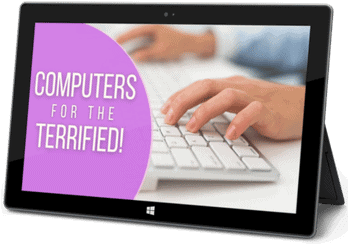
See the sklills you’ll acquire in this course
Click a module for details
MODULE 1: FUNDAMENTALS TO HELP YOU GET YOUR BEARINGS
- The Grand Tour – a birds eye view of Windows (the system that controls your computer)
- Overview of the desktop, start button, task bar, notification area and system tray
- Computer terminology
- How to use the buttons on a mouse
- Where to find help
- How to use the Start Button and Start Menu
MODULE 2: USING PROGRAMS, FILES & WINDOWS
- Programs: How to find and use programs (a.k.a. apps)
- Files: Creating, saving, updating, closing, opening, finding and printing files
- Windows: How to resize, reposition, hide, show and switch between windows
MODULE 3: ORGANISING YOUR FILES
- How to create and organise folders to store your work
- How to save a file to a folder
- The difference between Save and Save As
- How to move files between folders
- How to save, copy or move files to a USB stick
MODULE 4: USERS
- How to add new users to your computer, each with their own preferences
- How to manage your profile (name, profile picture etc.)
MODULE 5: CUSTOMISING YOUR COMPUTER
- Personalise your desktop picture
- Customise images and colours
- Customise the display settings
- Customise the mouse settings (pointer speed etc.)
- Customise the date and time format and travel settings
MODULE 6: FINAL SETUP, HOUSEKEEPING AND SHUT DOWN PROCEDURE
- How to rescue deleted items from the Recycle Bin
- Shutdown vs Sleep vs Hibernate vs Restart
- How to install a printer
As a special bonus, I’m also giving you the ‘Word Bootcamp‘ and ‘Email Bootcamp‘ courses for FREE when you purchase this course
BONUS: WORD BOOTCAMP
- Microsoft Word orientation
- How to make your text look great
- Simple things you can do to make your document look professional
- Using Word styles for consistency
- 4 methods to cut, copy & paste
- Running a Spell Check
- Creating a numbered list or bullet list (a.k.a. dot points)
- Adding tables to your document
- Adding images to your page
- Printing your work
BONUS: EMAIL BOOTCAMP
- Microsoft Outlook orientation
- How to send, receive, reply to or forward a message
- Attaching a file to your email
- Draft messages
- Creating a signature email footer
- Configuring the Outlook screen
- Organising your email to reach Inbox Zero
- Printing your email
- Express tour of Windows Mail (for comparison)
- Express tour of Outlook 365 (for comparison)
- Express tour of Gmail (for comparison)
Here’s the incredible value you get for less than your coffee budget
- My absolute best, proven advice, simplified
- The things that matter
- The things that work
- The things you’ll actually use
- ‘Useful’ shortcuts
- No boring intros or long essays on the history of Microsoft
- No fluff. Straight in. Zero to a hundred
- Pitfalls, rabbit holes and dead ends to avoid
- Genius strategies and ideas from 20+ years in the trenches
- Snappy, bite-sized videos for reference or self-serve learning
- Downloadable PDF reference guides

What Others Are Saying
It’s incredible. I never knew all this was possible. The course has really opened my eyes and given me a fresh perspective. The videos are clear they have helped me tremendously.
I work on complex legal documents and as a temp, you’re sometimes left to find information on your own. I’ve learned far more from you than anything I’ve found in books or online. The lessons are SO clear. I think my manager will be very surprised to see the improvement in my skills.
Awesome. Thanks for some great training. The content was explained simply and effectively. Great visual and hands-on approach really helped me to remember everything
I really appreciated the time and tolerance taken for a beginner like myself. Jason is very good at explaining computer terms. The videos were delivered simply and professionally and the training notes are first class.
Word Styles and automatic multilevel numbering are both harder than quantum mechanics. And you have made simple. Thank you!!!
Thanks a million. I have gone on courses, I have paid people to teach me and I still couldn’t get it. Your videos are crystal clear and now I can’t remember why I found it so difficult!
REALLY helpful. I’m a Wordsmith who works on academic documents for postgrad students. The structure and formatting is often messed up beyond belief. This course goes way deeper than anything else I’ve found and is invaluable!
Fantastic tutorials, really easy to follow! I learnt more about styles in the few minutes watching your video than 20 years of reading Word help. Thanks.
I can only copy what everyone else has commented. Awesome!! I’ve been working at this for weeks and the multilevel numbering video in particular answered a ton of questions and demystified what shouldn’t even be this complex. Many thanks.
I can’t believe it. I have been looking everywhere for a course like this. It has been a revelation. Can’t wait to watch the rest. Would have saved me a gazillion hours had I found this earlier!
Super videos, easy to follow and very helpful. Thank you!!!! Love from India
It was really user friendly. I’m a visual learner and I love that I can do this in the comfort of my own home. Doing the courses exercises as I go and having to think and work out things for myself has really helped.
Excellent, really clear and well explained.
Very well put together, informative and easy to follow. It answered all my questions. Thanks so much!
I have seen many tutorials on different topics. This is an EXCELLENT course run by a highly knowledgeable, easy going teacher!! Thank you for the hard work you put into creating the course!
Excellent teaching! Took too long to find this. No waffle, just easy, clear instructions. Thank you!
Great course and well taught. This has opened up a lot of possibilities. A small but powerful program that will improve my design processes.
You made it so simple. After wasting a whole day watching YouTube videos on this and getting more confused it’s such a relief to finally get the answers I needed.
Call me weird but I really enjoyed this course. I found it very easy to follow, user friendly and super practical. I can’t tell you how much easier it is than reading a book! Thank you
Excellent! Thank you for getting straight to the point 🙂 It is so easy to listen to. I found the exact information I was looking for.
Excellent teaching! I regret not finding these awesome videos sooner. I have started to cull a huge backlog of emails thanks to the tips I learned. You are really good at getting to the crux of the matter. Appreciate that very much. Good job and keep it up.
Very helpful thank you! It is amazing how fast I am understanding it. Thank you for your guidance.
The course is very good for beginners and you covered a lot without invoking brain strain!
With the videos, examples and useful study guide, I have already started using some of these new skills each day. I feel much more confident now.
Such useful videos, succinct and stacked with useful tips and info. I am definitely spreading the word among my friends.
AFFORDABLE Training, Fantastic Outcomes
Best Value Beginners Computer Course
Beginners Bundle
$147
oNE tIME pAYMENT, Yours Forever
- Beginners video library
- Computers for the Terrified! ($397)
- + Bonus: Word Bootcamp ($297)
- + Bonus: Email Bootcamp ($147)
- Self-serve training
- PDF reference guide & examples
- Value: $841
pricing in USD
